← All guides
VIN Not Found? What It Means and What to Do
A VIN not found result usually means no records exist yet, not that the car is hidden. Learn the common causes, what to do next, and why no data is free.
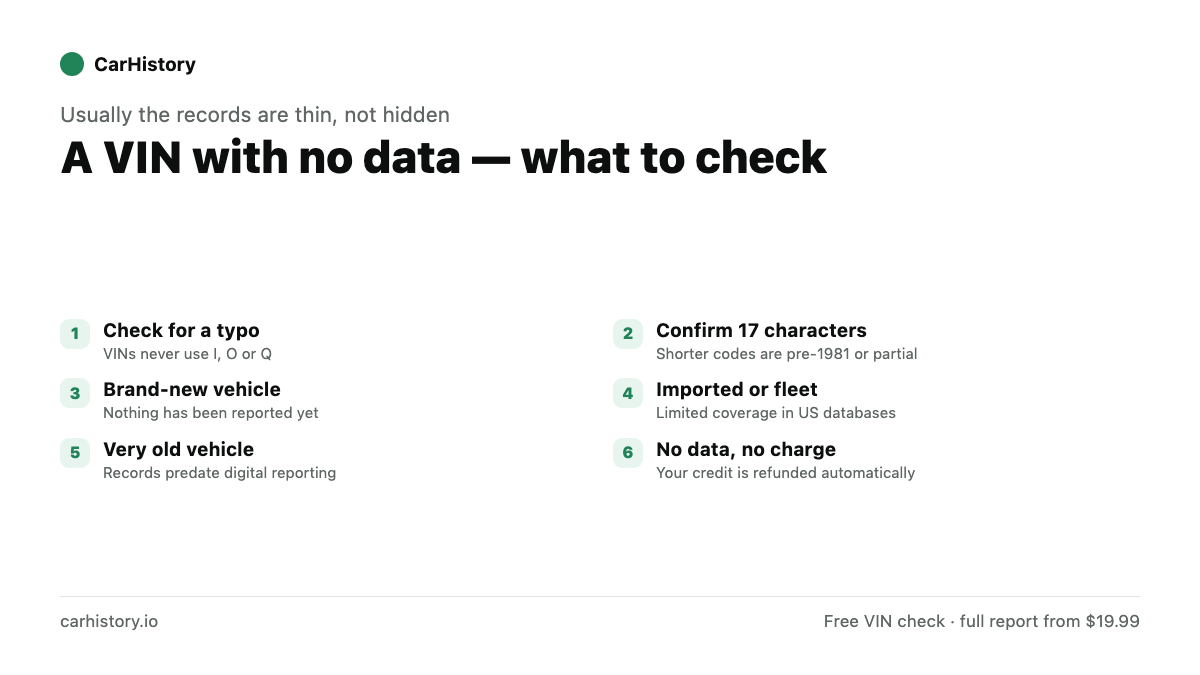
A “VIN not found” result means no vehicle history records were located for that VIN, not that the vehicle is being hidden from you. It usually points to a typo, a very new car, or a vehicle with little reported activity. If you buy a report and no data is found, the credit is refunded automatically, so an empty result never costs you anything.
What “VIN not found” actually means
When you run a VIN and get no results, one of two things is happening. Either the VIN itself could not be decoded into a valid year, make, and model, or it decoded fine but no vehicle-history records exist for it yet. Those are very different situations, and telling them apart is the first step.
A free check decodes the VIN and counts records. So a “not found” message is really shorthand for one of these outcomes:
- The VIN is invalid or mistyped and cannot be decoded at all.
- The VIN decodes correctly but has zero records on file.
- The vehicle exists but simply has no reported history yet.
None of these mean the car is unsafe by default. A clean, brand-new car and a fraudulently cloned VIN can both return little data, which is exactly why the next steps matter.
Common reasons a VIN returns no records
1. A typo in the VIN
This is the most frequent cause. A VIN is 17 characters, and a single wrong digit makes it a different vehicle or an invalid one. VINs never use the letters I, O, or Q, precisely because they look like the numbers 1 and 0. If you typed an O where a 0 belongs, you will get nothing useful. Re-enter the VIN slowly and confirm all 17 characters. Our guide on How to Read a VIN: Decode All 17 Characters shows exactly which character is which.
2. The car is very new
A vehicle that just left the factory or the dealership may not have generated any reportable events yet. No accidents, no title transfers beyond the first sale, no service records in the databases. A thin or empty history on a late-model car is often a good sign, not a red flag.
3. Low reported activity
Some vehicles genuinely have little to report. A car owned by one careful person, registered in one place, and never in an accident may have a short paper trail. Data sources also depend on what gets reported to them, so a quiet ownership history can mean a quiet record.
4. Imported, fleet, or off-market vehicles
Vehicles imported from another country, certain fleet or commercial vehicles, and very old cars may have limited coverage in the databases that feed reports. The VIN can be valid while the history is sparse.
5. A cloned or fake VIN
Rarely, a “not found” result comes from a VIN that was never legitimately issued, or one cloned from another car. If the VIN will not decode to the make and model you are looking at, treat it as a warning and verify the vehicle in person.
What to do next
Work through these steps in order. Most “VIN not found” cases are solved at step one or two.
- Recheck every character. Compare what you typed against the source, digit by digit. Watch for 0 versus O and 1 versus I.
- Find the VIN in a second place. Read it off the lower-left windshield, the driver-side doorjamb sticker, and the title or registration. If two sources disagree, that itself is worth investigating.
- Confirm it decodes. Run a free VIN check and look at the year, make, and model that come back. If those match the car, the VIN is valid even when records are thin.
- Compare to the listing. If the decoded details do not match the seller’s ad or the car in front of you, stop and ask questions. A mismatch can point to a cloned VIN or a swapped plate.
- Inspect the vehicle in person. When a VIN checks out but history is light, your own eyes and a trusted mechanic fill the gap. Use the Used Car Buying Checklist so you do not miss anything.
Is “no records” a good sign or a bad sign?
It depends entirely on the car. For a new or nearly new vehicle, a near-empty history is normal and reassuring. For an older car that should have years of ownership, registration, and service activity behind it, an unexpectedly empty record is worth a second look. The age and story of the vehicle decide how to read the silence.
Either way, a free check is the cheapest way to learn what is on file before you commit. See Free VIN Check: What You Can See for Free for what the preview does and does not reveal.
Why an empty report never costs you
This is the part that should put your mind at ease. If you decide to buy a full report and no data is found for that VIN, the credit is refunded automatically. You are never charged for an empty report, so there is no risk in digging deeper on a car you like. You can review terms on the pricing page, and if you want to see what a populated report looks like, browse a sample report.
Because CarHistory combines records from multiple national databases into one de-duplicated report, a VIN that looks empty in one source may still surface records from another. Checking every source at once gives you the best chance of finding history that a single source would miss.
When to dig harder
A “not found” result should make you more curious, not less. If the car is older, the price seems too good, or the seller is vague about its past, treat thin data as a prompt to verify everything yourself. Watch for the issues that hide behind quiet records, like a rolled-back odometer or a quietly rebuilt title. Our guides on How to Spot an Odometer Rollback and Title Brands Explained walk you through the warning signs.
Confirm the VIN, decode it for free, and let the refund policy take the pressure off the rest.
Sources
- NHTSA vPIC VIN Decoder — Free federal decoder — the fastest way to confirm a VIN is valid rather than mistyped.
- NICB VINCheck — Free check for insurance-reported theft, salvage and flood records.
Check your vehicle's history